TABOGON / BORBON / BOGO · NORTHERN CEBU
TABEX Kitchens

You cook.
A rider picks up.

For carinderias, bakers, milk tea shops, and other kitchens that serve Tabogon, Borbon, or Bogo.

Online registration is closed. Message TABEX Ops. Ops creates the kitchen username and password.

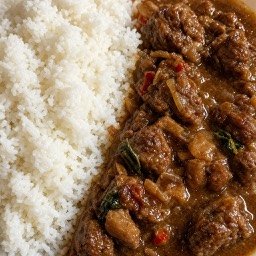
Food category imagery from the TABEX app

Category imagery; actual menus are shown in the app.

The partner console

Your menu.
Your kitchen.

Run your kitchen

Use the partner console for incoming orders, your menu, open hours, and staff the owner can add. Set the kitchen pin so the rider can find the pickup.

Receive the order after a rider accepts

A customer orders in the app. A nearby rider accepts. Then the order appears in your partner console.

Confirm, prepare, mark ready

Confirm the order, prepare the food, and mark it ready for pickup. You do not deliver it. A rider picks it up from your kitchen.

How an order moves

Order. Rider. Kitchen. Gate.

01

Order

The customer chooses a kitchen, builds a cart, and places the order in the app. The app asks for their location. Delivery is to that pin and a landmark they type, brought to their gate. They pay cash on delivery, or they pay with GCash or QR Ph in the app.

02

Rider

The job is offered to nearby riders. One rider accepts. The customer can cancel only during the short window at the start of this search.

03

Kitchen

The order appears in the kitchen's partner console. The kitchen confirms it and prepares the food, then marks it ready for pickup.

04

Gate

The rider picks the food up from the kitchen and delivers it. The customer confirms delivery in the app with a delivery PIN. Cash customers pay the rider. Prepaid customers have already paid in the app.

Message Ops to set up your kitchen.

Online registration is closed. Message TABEX Ops. Ops creates the kitchen username and password.